Home screens that work for you, not the other way around.

We make DownShift and Genesis Launcher: fast, private launchers for Android. No ads, no accounts, no tracking. Just a home screen that's quick, calm and yours.

See the apps

Two launchers, one way of making them

Both share the same fast core, privacy and polish. The difference is how you live with your phone.

DownShift

The work/life launcher. Two home screens, one for work and one for everything else, a tap apart.

  • Separate Work and Personal home screens, apps and notifications
  • A Work schedule and profile lock, so work stays at work
  • The Silencer: a timed Do Not Disturb with a recap when it ends
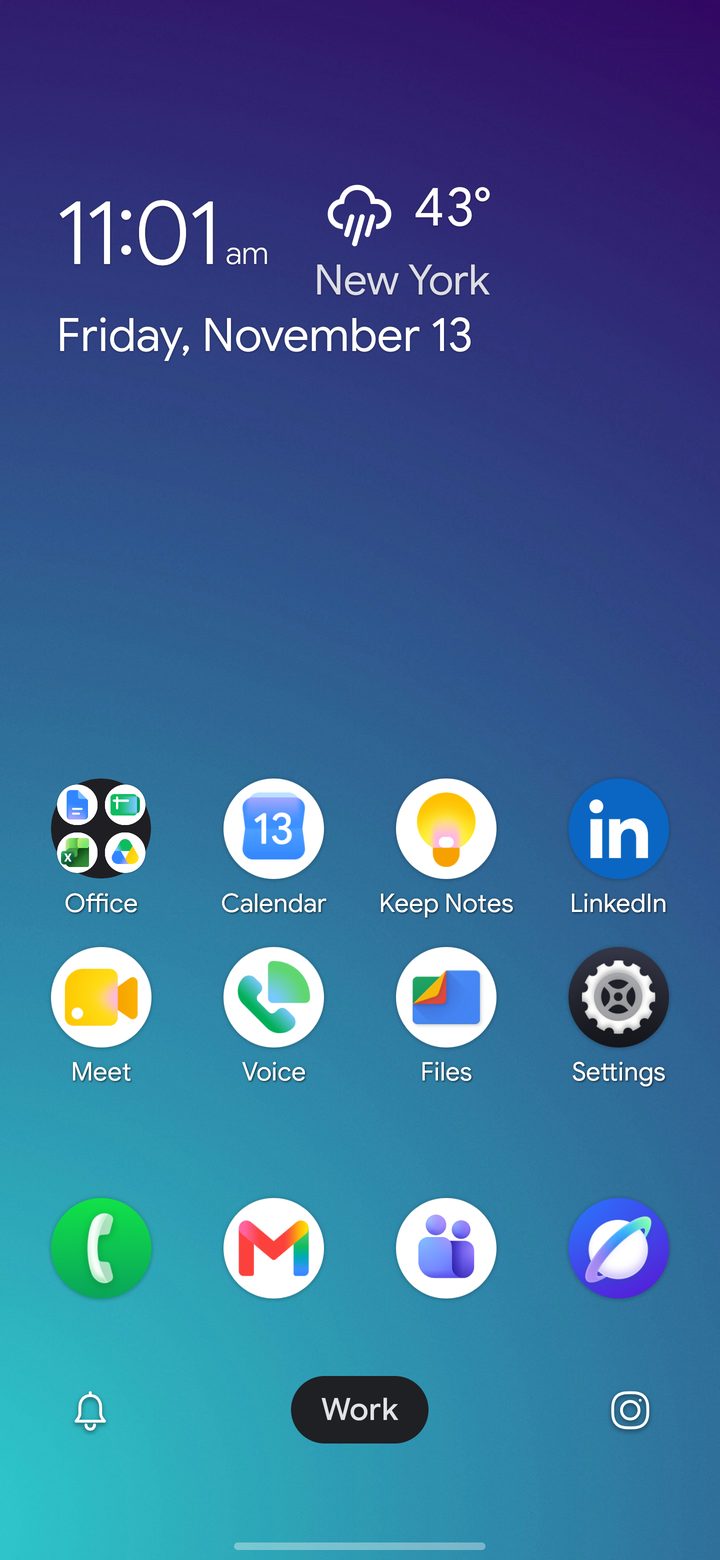
DownShift's Work home screen

Genesis Launcher

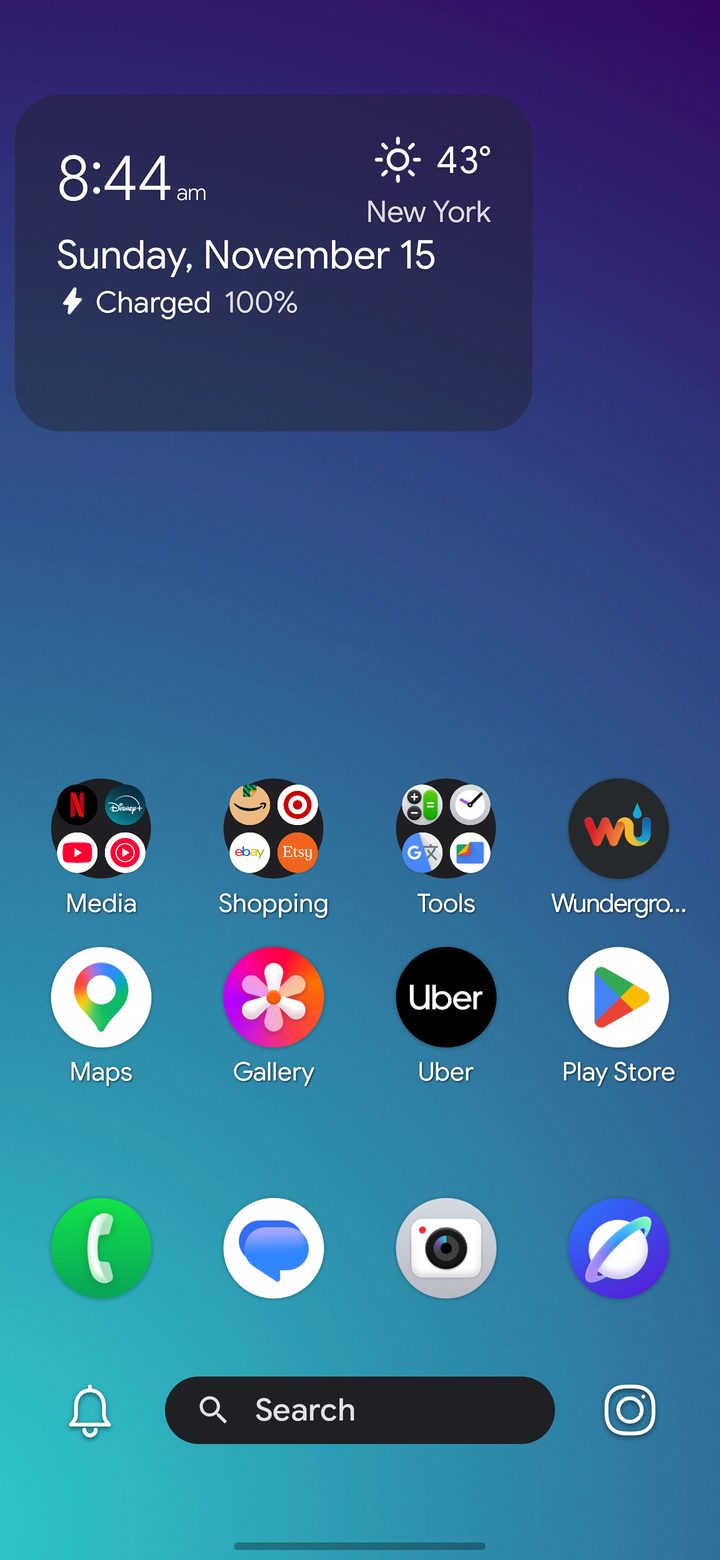
One fast, clean home screen, made entirely yours.

  • Themes, icon packs and an app drawer that sorts itself into Stacks
  • The Info Hub: notifications, weather, calendar and notes one swipe from home
  • Built for foldables and tablets as well as phones
Coming soon to Google Play About Genesis
Genesis Launcher's home screen

Which one is right for you?

If your phone is both your office and your life, choose DownShift. If you want one home screen that's fast and beautifully yours, choose Genesis.

FeatureDownShiftGenesis Launcher
Home screensTwo: Work and Personal, each with its own apps, layout and notification rulesOne, set up exactly how you like
Work schedule and profile lockYesNot needed
Silencer (timed Do Not Disturb)YesYes
Info HubYesYes
Stacks: a drawer that sorts itselfYesYes
Themes and icon packsYesYes
Foldables and tabletsYesYes
Built-in work camera and document scannerYesNo (uses your phone's camera)
Price14-day free trial, then a subscription or a one-time Lifetime purchase14-day free trial, then a subscription or a one-time Lifetime purchase

What we promise

No ads, ever

You pay for the app, so the app works for you. Nothing on your home screen is for sale.

No tracking or accounts

No analytics, no sign-up. Your layout, settings and notes stay on your phone.

Try before you pay

Every plan starts with a 14-day free trial, and Google Play handles every purchase and refund.

Fast by design

Built on the open-source Lawnchair launcher and Android's own Launcher3, tuned so the home screen is never in your way.

Made by a person

One developer, real support. Write to us and you'll hear back from the person who built it.

Updated every week

Fixes and new features arrive steadily, and every change is in the public changelog.

What people say about DownShift

Five-star reviews from DownShift's Google Play page.

Really clean and smooth launcher! I wasn't expecting the UI and launcher to be so smooth but it feels like butter. It has a lot of options for work and personal profiles, widgets with weather and more. You can use custom icon packs and customize the search bar for pretty much whatever app you want. Well worth subscribing to the Pro in my opinion. Keep up the great work!
Tim A, on Google Play
Great app for a work-life balance! This launcher has all the Lawnchair features, plus quick switching to work/home mode. That's amazing. When I'm at home, I can have all the social-media apps and games on the home screen, and while I'm at work I can have all the apps related to my work on the home screen. Quite useful.
Joy Debnath, on Google Play
Beautiful launcher I've been use for some time now and it hold up. I change Launcher every now and to test and go right back to this one.
T Paul, on Google Play
great launcher. helps to focus & reduce distraction. still exploring. loving it so far
Imtiaz Jamal, on Google Play
Excellent launcher for working with two profiles. Also has the ability to set the dock on the side like iPhone Duo!
Ashtar Haideri, on Google Play
One of the best Launchers
Marios Sevdalis, on Google Play

Support

Email support@downshiftmobile.com, or use Contact Support in the app's Settings, which fills in your app and phone details for you.

Which app should I choose?

Choose DownShift if you want separate Work and Personal home screens on one phone. Choose Genesis Launcher if you want one fast home screen you can make your own. Both have a 14-day free trial, so you can try either.

Do I need an account?

No. Neither app has accounts. Purchases are tied to your Google account through Google Play.

How do refunds and cancelling work?

Google Play handles all purchases. Cancel a subscription any time in Google Play › Payments & subscriptions, and request refunds under the Google Play refund policy. If you have a problem, email us and we'll help where we can.

Which phones are supported?

Both apps need Android 14 or newer. They work on phones, foldables and tablets.

Where are the guides and the changelog?

See the DownShift guides, the Genesis guides and the changelog.